Can a smart power strip actually lower your electric bill?
Smart power strip energy savings sound simple: plug in a few electronics, let an app switch them off, and watch the bill shrink. The real answer is more modest, and much more useful. A strip can stop certain devices from drawing standby power when they are not being used, but it cannot save meaningful money if the connected gear barely consumes anything while idle.
That distinction matters. Smart strips cost more than a basic switchable strip, and many consume a small amount of electricity themselves to stay connected. This guide explains how to estimate the savings before you buy, which kind of strip fits each setup, and what to check for safety. We compare four practical options by function, not by pretending every product has the same test results.
Short version: use an advanced or smart strip for a group of electronics with a predictable off period, such as a TV and its accessories or a computer desk. For a single always-on device, use its built-in power settings or a suitable individual smart plug instead. For refrigerators, medical equipment, routers you need overnight, or anything that must stay powered, do not put it on an automatically switched outlet.
What does “standby power” mean?
Many electronics use a little electricity even when they appear to be off. A TV may remain ready for a remote command, a game console may download updates, and a printer may listen for a network job. This is often called standby, idle, or phantom load. The Department of Energy’s renter guidance recommends considering power strips or smart plugs for electronics that otherwise draw power while idle, while noting that connected devices need to remain powered for their functions.
A strip does not magically make an appliance efficient. It either gives you a convenient master switch, follows a schedule, responds to a control signal, or senses that a “master” device has gone into a low-power state and cuts power to associated outlets. Those are different mechanisms, and the right one depends on how you use the equipment.
For example, a TV-based strip might keep the television on a controlled outlet and connect a soundbar, streaming box, and game console to switched outlets. When the TV is turned off, the other devices lose power too. That can be convenient, but it is not suitable if one of those devices needs to record, update, or stay reachable while the TV is off.
Estimate your savings before spending money
Use this formula for a rough annual estimate:
Annual savings in dollars = watts eliminated × hours per day ÷ 1,000 × 365 × your electricity price per kWh.
Suppose a set of electronics draws 8 watts while idle, and a strip truly cuts that load for 16 hours per day. At an example electricity price of 17 cents per kilowatt-hour, the gross estimate is 8 × 16 ÷ 1,000 × 365 × $0.17, or about $7.94 a year. That is an illustration, not a promised result: the actual idle load, shutoff hours, local rate, and strip’s own consumption all change the outcome.
If the strip costs $35 and the setup saves about $8 a year, simple payback is a little over four years, before accounting for the strip’s own standby draw or any price changes. If the setup only eliminates 2 watts for 8 hours a day, the annual gross saving at the same rate is about $0.99. In that case, buying a premium strip purely for bill savings does not pencil out.
To make the estimate more realistic, check the power rating on a meter or use a smart strip with energy monitoring for a few normal days. Be careful to distinguish instantaneous watts from kilowatt-hours accumulated over time. If your utility bill lists a different rate, use that rate. Some bills include delivery charges and tiered pricing, so the marginal cost of an extra kWh may not equal the headline supply price.
| Idle load cut | Hours switched off daily | Annual energy avoided | Value at $0.17/kWh |
|---|---|---|---|
| 3 W | 12 | 13.1 kWh | About $2.23 |
| 8 W | 16 | 46.7 kWh | About $7.94 |
| 20 W | 16 | 116.8 kWh | About $19.86 |
| 30 W | 20 | 219 kWh | About $37.23 |
These examples are arithmetic scenarios, not measured savings claims. They assume the listed load is fully eliminated during the switched-off hours and do not subtract the strip’s own consumption.
Which type should you buy?
There are four common approaches. A basic switched strip has no app or automation, but it may deliver the most straightforward savings if you reliably flip the switch. A timer-based strip works on a routine, such as shutting down a desk setup overnight. A master-controlled advanced strip detects the power state of one device and switches companion outlets. A Wi-Fi smart power strip allows app, schedule, or voice control; models with per-outlet monitoring can also help identify which devices use energy.
| Option | Useful feature | Typical price range | Best for | Trade-off |
|---|---|---|---|---|
| Basic switched strip | One manual switch cuts power to connected outlets | Often roughly $10–$25, varies by rating and protection | People who remember to switch off a grouped setup | No automation or usage history |
| Master-controlled advanced strip | Detects a primary device and switches accessory outlets | Often roughly $20–$40 | TV-and-accessory or desktop arrangements with clear on/off behavior | Threshold tuning and compatibility can be finicky |
| Wi-Fi strip with individual outlet control | App schedules and independent outlet switching | Commonly around $35–$70; verify current listing | Several devices with different routines or remote-control needs | Costs more and relies on Wi-Fi, account/app support |
| Metering smart strip | Outlet-level or whole-strip energy readings | Often at the higher end of the smart-strip range | Finding which device is worth switching off | Monitoring is not the same as automatic savings |
Prices above are broad US retail ranges, not live quotes; promotions and availability change. Compare the exact model number, outlet count, surge rating, warranty, app requirements, and return policy before ordering.
Four options worth comparing by use case
1. TP-Link Kasa HS300: for individual outlet control and monitoring. TP-Link describes the HS300 as a Wi-Fi power strip with six individually controlled outlets and three USB ports, with energy monitoring features in the Kasa app. Retail prices vary; recent US listings have appeared around the $65–$70 mark, while discounts can move it lower. It is a fit when you want to schedule or switch different desk or entertainment devices separately. Pros: individual outlet control, remote switching, and app-based monitoring. Cons: higher upfront cost than a manual strip, requires compatible Wi-Fi and app setup, and energy readings alone do not prove a device is wasting enough to justify the purchase. Check the exact current model’s specifications and support before buying.
2. TrickleStar advanced power strip: for a predictable master-and-accessory setup. TrickleStar’s advanced-strip approach is designed around controlling peripheral outlets based on a master device or other control logic. It can make sense for a TV or workstation that has a clear active state and accessories that can safely turn off together. Pros: automatic control without needing to open an app every night, and a simple use case once configured. Cons: a computer, console, or TV may not cross the trigger threshold consistently; verify the model’s outlet layout and control method because versions differ. Confirm the manufacturer’s live price and product specification before purchase, as availability varies.
3. A timer-based power strip: for a reliable daily schedule. Timer strips are often a sensible middle ground if you know exactly when a group should turn off. Use one for a charging station or a set of noncritical accessories that are not needed overnight. Pros: a repeatable schedule and no dependence on cloud automation. Cons: a fixed schedule can be inconvenient when your routine changes, and you must check that the timer’s electrical rating matches the devices.
4. A quality basic surge-protective strip with a master switch: for the lowest-cost trial. If you are not sure whether you will use automation, start with a manually switched strip from a reputable brand that lists its surge-protection rating and electrical limits. Pros: low cost and simple behavior. Cons: savings depend on remembering to use it; it does not measure energy or switch accessories automatically.
We are not assigning fabricated lab ratings. Ratings in this comparison would require a consistent hands-on test across the same outlet load, Wi-Fi conditions, meter, and schedule. Treat the table as a buying framework, and verify each manufacturer’s current specifications rather than relying on a star number copied from a changing retailer page.
When a smart strip is a good fit
- TV and accessories: a television, soundbar, and game console that are genuinely unused overnight, provided none needs background updates or recording.
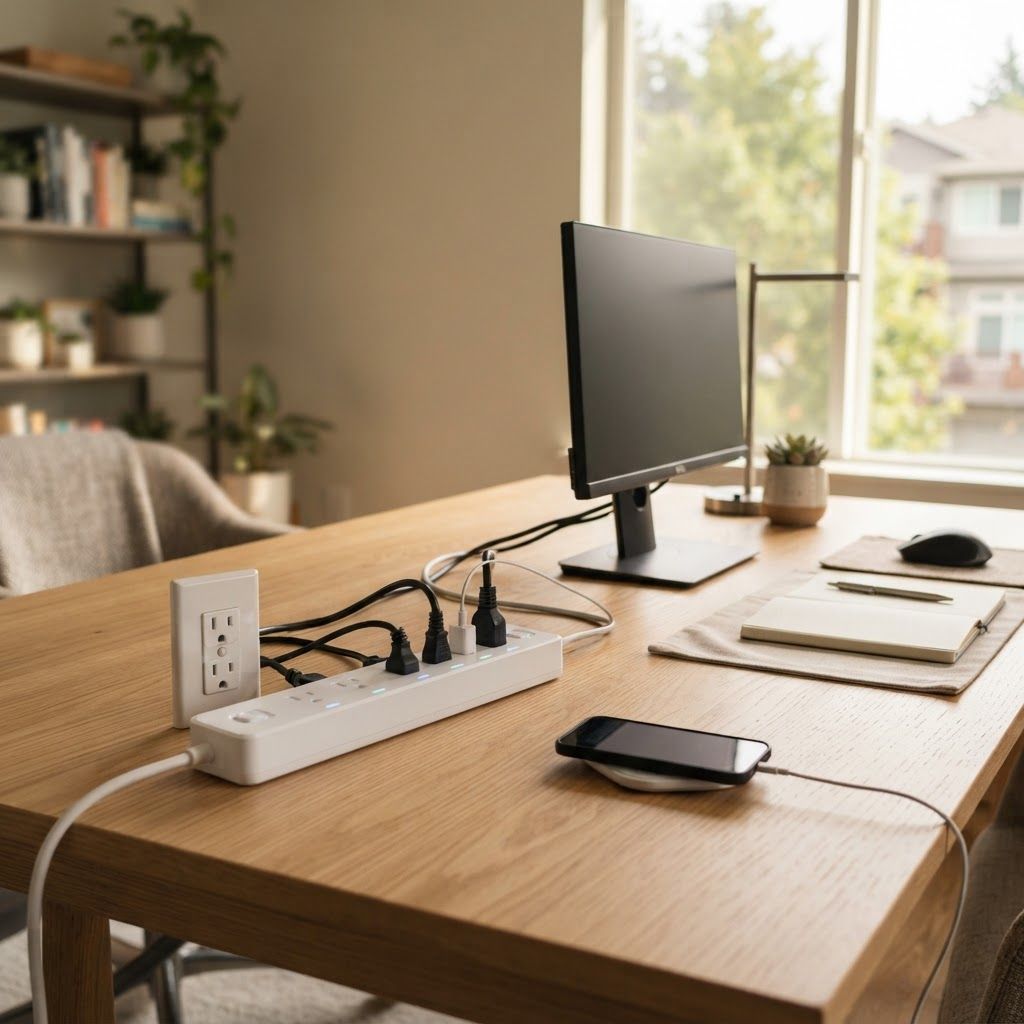
- Home-office desk: monitor, speakers, lamp, and chargers on a schedule, while keeping the computer or network gear on a separate always-on outlet if needed.
- Charging zone: chargers that can be fully disconnected after a daily window, assuming the device manufacturer permits that usage.
- Energy investigation: a metering strip can reveal whether an older peripheral draws enough idle power to be worth managing.
It is usually a poor fit for a device with a tiny standby load, equipment that must remain reachable, or a single appliance where a $30–$70 strip costs many years of plausible savings. If monitoring shows a device uses only a fraction of a watt when idle, the convenience may still matter, but describe it as convenience, not a strong payback investment.
Pros and cons: the honest version
Pros
- Can make it easier to shut down a group of idle electronics without unplugging each one.
- Schedules or master control reduce reliance on memory when the device group behaves predictably.
- Some smart strips show outlet-level usage, useful for deciding what to control.
- Per-outlet control can keep essential devices powered while switching off nonessential accessories, if the model allows it.
Cons
- Bill savings may be small, especially with newer electronics that already use little standby power.
- Smart models cost more and consume some power for their own connectivity and controls.
- Turning power off can interrupt updates, recording, backups, network functions, or device settings.
- Wi-Fi app support, cloud features, and compatibility can change; review current support terms.
- A power strip is not a substitute for a properly rated surge protector or a safe electrical installation.
Safety checks people skip
Never exceed the strip’s amperage or wattage rating. Do not connect one power strip to another, and do not use a strip as a substitute for permanent wiring. High-load appliances such as space heaters, refrigerators, air conditioners, microwaves, and hair dryers generally should not be placed on ordinary consumer smart strips unless the manufacturer explicitly lists the device type and load as suitable. Follow the manual and local electrical guidance.
Keep strips uncovered and away from moisture, inspect cords and plugs for damage, and stop using a unit that becomes unusually hot, smells burnt, or has a loose connection. Surge protection is a separate feature from smart switching: check the joule rating, indicator lights, and warranty details instead of assuming every smart strip protects equally. In a rental, do not modify wiring or use a product contrary to the property’s rules.
A quick five-minute buying checklist
- List what will be plugged in and mark each item “must stay on” or “safe to switch off.”
- Estimate or measure the idle watts of the switchable devices.
- Calculate annual gross savings using your actual electricity rate and realistic off-hours.
- Compare that figure with the full price of the strip, including any hub or subscription requirement.
- Check outlet count, individual control, Wi-Fi band, surge specifications, and electrical rating.
- Read the device maker’s guidance about updates, standby, and safe power removal.
If the math looks weak, do not force a purchase. Use a manual switch you already own, enable sleep settings, or simply leave the electronics connected. Energy decisions are better when the expected saving is based on your own equipment rather than a dramatic percentage applied to every home.
Frequently asked questions
Do smart power strips really save money?
They can, when they reliably cut a meaningful standby load for many hours. The amount depends on the devices, their idle watts, your local electricity price, and how long the outlets are off. Measure or estimate first; savings may be only a few dollars per year.
How much can a smart power strip save per year?
There is no single reliable household figure. For example, cutting an 8-watt load for 16 hours daily at $0.17 per kWh is about $7.94 in gross annual energy cost avoided. This example excludes the strip’s own use and is not a guarantee.
Does a smart power strip use electricity when switched off?
A Wi-Fi model generally needs some power for its radio and control electronics while connected. Check the manufacturer’s specifications or measure the complete setup. A basic mechanical strip may avoid that connected standby draw, but it will not offer app automation.
Can I plug my TV and game console into a smart strip?
Often, but check the console’s update, download, and remote-wake settings first. If the strip cuts power completely, the console cannot perform functions that require standby power. Keep any device that must remain available on an always-on outlet.
Are smart power strips safe for refrigerators or space heaters?
Do not assume so. These are high-load or critical appliances, and many ordinary consumer strips are not intended for them. Follow the appliance and strip manufacturers’ instructions, including the stated electrical rating, and use a dedicated wall outlet where required.
Our pick: choose the simplest option that fits your routine
For most households, the best first move is not automatically the most expensive smart strip. If you have a TV setup with a clear off period, a master-controlled advanced strip can be convenient. If you need separate schedules or want to see which outlet uses power, a Wi-Fi model such as the Kasa HS300 offers more control, but buy it for those features rather than expecting it to pay for itself quickly. If you only need to cut power occasionally, a manual switchable strip is the practical low-cost choice.
Our recommendation is to do the small calculation first. When the expected annual saving is less than the price divided by the years you are willing to wait, treat automation as a comfort purchase, not a bill-reduction strategy. That is the honest way to judge smart power strip energy savings.
Related Articles
- Smart plugs to save energy: practical ways to reduce standby power
- Best smart home energy monitors compared
- Smart devices that can actually save you money
Sources and verification: U.S. Department of Energy, “5 Tips for Energy-Saving Renters” (guidance on standby power and power strips); TP-Link Kasa US product information for HS300 outlet control and energy-monitoring features. Product prices and availability change; confirm details on the manufacturer or retailer page before purchase. Cost examples are calculated scenarios, not product-test results.