Can smart plugs really lower your electric bill?
A smart plug is a small purchase, but it can change the way you think about electricity. The best smart plugs to save energy do not magically make an appliance efficient; they make it easier to turn devices off, measure what they use, and create schedules that match your routine. That distinction matters. A $12 plug cannot compensate for an old window air conditioner, but it can stop a gaming setup, desk lamp, or entertainment center from drawing power all night.
For this guide, I focused on practical US buying decisions: reliable apps, energy monitoring, Matter compatibility, safety ratings, and realistic prices. I also looked at the difference between standby power and high-wattage appliances. My recommendation is simple: start with one monitored plug, find your biggest avoidable load, and expand only when the savings or convenience justify it.
What a smart plug can—and cannot—do for energy savings
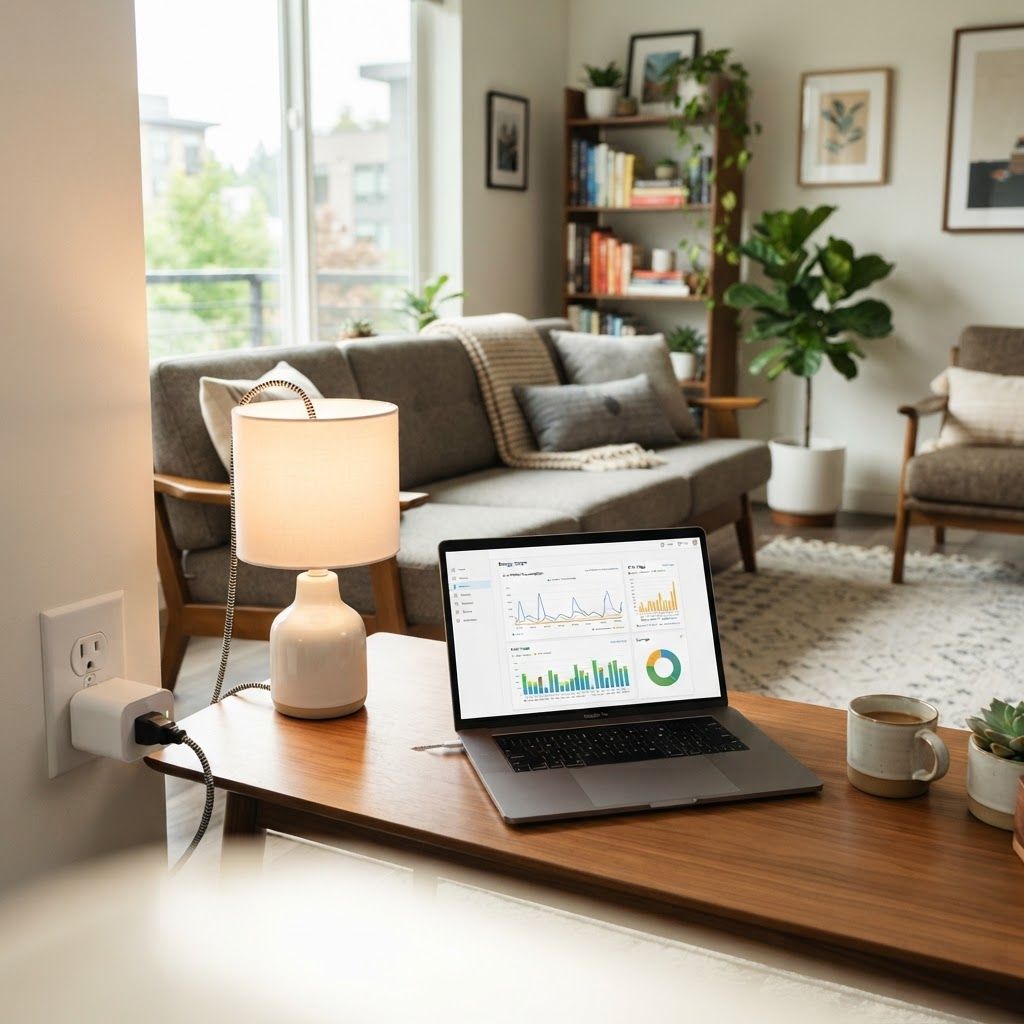
A smart plug sits between the wall outlet and a device. Depending on the model, it can switch power remotely, run a timer, measure watts, and estimate cost using the electricity rate you enter in the app. That is useful for devices that are safe to power off abruptly, such as lamps, chargers, fans, coffee makers with a mechanical switch, and entertainment equipment.
It is not a good idea to put every appliance on a smart plug. Heating elements, refrigerators, freezers, medical equipment, sump pumps, and anything that must remain powered for safety should be treated carefully. A plug also does not reduce the electricity used while a device is actively operating; it mostly helps with schedules, forgotten devices, and standby loads.
- Best use: lamps, chargers, televisions, speakers, desktop accessories, and small fans.
- Avoid without checking the manual: space heaters, air conditioners, refrigerators, freezers, washing machines, and medical equipment.
- Check the label: most indoor plugs are rated around 15 amps, but the continuous load and motor startup load matter.
- Use energy monitoring as a diagnostic tool, not as a promise of a fixed monthly saving.
The five best smart plugs to save energy in 2026
| Product/Option | Key Feature | Typical Price | Best For | Rating |
|---|---|---|---|---|
| TP-Link Kasa EP25 | Reliable Wi-Fi, scheduling, energy monitoring | About $10–$15 each | Most households | 4.5/5 |
| TP-Link Tapo P110M | Energy monitoring and Matter support | About $15–$20 | Cross-platform smart homes | 4.3/5 |
| Eve Energy | Detailed monitoring, strong Apple Home privacy focus | About $30–$40 | Apple Home users | 4.2/5 |
| Meross MSS315 | Energy monitoring and broad assistant support | About $15–$25 | Alexa and Google households | 4.1/5 |
| Govee Smart Plug | Simple app and low-cost monitoring | About $10–$15 | First-time buyers | 4.0/5 |
Prices move frequently, especially in multipacks, so treat the ranges above as a buying guide rather than a quote. Wirecutter currently highlights the TP-Link Kasa Smart Wi-Fi Plug Slim as a strong indoor choice, while TP-Link’s own documentation confirms that its energy-monitoring Tapo models can show real-time draw and usage history. In other words, the important question is not simply which plug is cheapest; it is whether the plug gives you useful information and works with the devices already in your home.
1. TP-Link Kasa EP25: the sensible starting point
The Kasa EP25 is the option I would choose for most people who want a straightforward way to save energy. It is usually inexpensive, compact enough for many indoor outlets, and supported by a mature Kasa app. Scheduling and away-mode features are useful for lamps, office equipment, and entertainment devices that are often left on by accident.
Its main advantage is value. You can buy a single plug to test the idea, or a multipack without committing much money. The downside is that Kasa is primarily a cloud-connected experience, so people who want a completely local smart home may prefer a different ecosystem. Also, check the exact model number: not every Kasa plug has the same energy-monitoring features.
- Pros: low entry price, simple setup, dependable scheduling, widely supported brand.
- Cons: model features vary, cloud dependence may bother advanced users, monitoring is not a substitute for a utility-grade meter.
2. TP-Link Tapo P110M: best if Matter matters
The Tapo P110M is more interesting if you are building a mixed smart home. Matter compatibility can make it easier to use a device across Apple Home, Google Home, Alexa, or another compatible controller, although the exact features available through Matter can vary by platform. Tapo also emphasizes energy monitoring, billing estimates, and usage history in its product documentation.
This is a good fit for someone who wants to measure a workstation, TV console, or appliance and then automate it. The trade-off is that Matter setup can be less simple than opening one manufacturer’s app, particularly when a border router or updated hub is involved. Buy it for the ecosystem flexibility, not because the Matter logo guarantees lower bills by itself.
3. Eve Energy: a premium pick for Apple homes
Eve Energy costs more than a basic Wi-Fi plug, but its appeal is different. It is designed for people who value Apple Home integration, detailed power information, and a privacy-conscious approach. If your home already runs on iPhone, iPad, or HomePod, the experience can feel more coherent than mixing several budget apps.
The price is difficult to justify if you only need a timer for a lamp. It becomes more reasonable when you want reliable automation, local control, and a polished energy dashboard. Before buying, verify current Matter and Thread requirements for your setup, because Eve’s best experience depends on having compatible Apple Home hardware.
4. Meross MSS315: broad compatibility at a midrange price
Meross is worth considering when you use Alexa or Google Assistant and want energy monitoring without paying premium Apple pricing. The MSS315 family is commonly sold in multipacks, which can be helpful if you want to monitor several rooms. The app supports schedules and consumption information, while voice control handles everyday commands.
The weakness is less about the hardware than the software experience: reviews often differ on Wi-Fi setup and app polish. I would buy from a retailer with a clear return policy, install one first, and confirm that the energy data is useful before ordering a houseful of them. A smart plug that disconnects regularly will not create a trustworthy savings routine.
5. Govee Smart Plug: inexpensive monitoring for beginners
Govee’s smart plug is a practical entry point when you want to see whether energy monitoring changes your habits. It is often discounted and the setup is approachable. Put one behind a desk, entertainment center, or cluster of chargers for a week and look at the overnight baseline.
The limitation is that Govee is not the first choice for every advanced smart-home ecosystem. It makes the most sense when you already use Govee products or when the lower price is the deciding factor. For a serious local automation setup, look at Matter or Home Assistant-compatible alternatives instead.
How to use a smart plug to find wasted electricity
The most effective process is a seven-day audit. Plug in one device or one safe power strip, label it in the app, and do not change your normal routine for the first two days. Then review the hourly pattern: the goal is to find a load that is active when nobody is using it, not to chase tiny fluctuations that your utility bill will barely notice.
For example, a desktop setup may draw a small amount overnight but a meaningful amount during work hours. A television console may consume very little in standby, while a powered speaker system or older game console may contribute more. The answer depends on the device, your electricity rate, and how long it stays on.
- Day 1–2: measure normal use without changing habits.
- Day 3: create an evening shutoff schedule if the device is safe to power off.
- Day 4–6: compare the new baseline with the first two days.
- Day 7: multiply the estimated kilowatt-hours by your utility rate and decide whether the plug is earning its keep.
Three automations that usually make sense
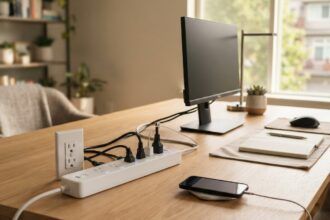
The first is a bedtime shutdown for entertainment equipment. A television, streaming box, game console, and speakers can be grouped on a properly rated power strip connected to a smart plug. Set the plug to turn off after the household is normally asleep and back on shortly before the first person uses the room. Be careful with consoles that need to install updates overnight; change the schedule if that matters to you.
The second is a work-from-home routine. Monitors, desk lamps, speakers, and chargers can turn on at the start of the workday and off at the end. This is more valuable for habit control than raw standby savings, but it prevents a common ‘I left everything running’ problem.
The third is an away schedule for lights and small electronics. Away mode can make a home look occupied while also preventing devices from running continuously. It is not a substitute for a security system, but it is a useful convenience when configured conservatively.
How much money can smart plugs actually save?
The honest answer is usually less than marketing headlines suggest. The US Department of Energy notes that standby power varies widely by product and that reducing unnecessary standby use can help, but the savings for one small device may be modest. If a device saves only a few watts and is off for several hours, the annual savings may be measured in dollars, not hundreds.
Use this formula: watts saved ÷ 1,000 × hours off × your electricity rate. For example, saving 8 watts for 12 hours per day at $0.18 per kilowatt-hour is about $6.31 per year. A plug costing $12 would take roughly two years to recover that price from that one load, before considering the value of convenience.
That calculation is why energy monitoring matters. You should prioritize devices with a larger or longer-running load. A smart plug can still be worthwhile for a low-wattage lamp if the automation is valuable, but do not buy ten plugs expecting a dramatic bill reduction without measuring first.
Safety checklist before you install one
- Use a UL-, ETL-, or similarly safety-certified product from a known retailer; avoid unbranded plugs with vague electrical ratings.
- Stay within the plug’s rated amperage and do not exceed the rating of the outlet or power strip.
- Do not place a smart plug where it can get wet or be covered by rugs, furniture, or heat-producing objects.
- Never use a smart plug as the only control for medical equipment, life-safety devices, refrigerators, or heating equipment.
- If a plug feels hot, smells unusual, buzzes, or disconnects repeatedly, unplug it and stop using it.
Our pick: start with one monitored plug
Our Pick is the TP-Link Kasa EP25 for most beginners, provided you confirm that the exact package includes the energy-monitoring feature you want. It is affordable enough to experiment with, simple enough for a first smart-home project, and useful for building a baseline. If you already use multiple smart-home platforms, choose the Tapo P110M or another Matter-compatible model instead. Apple-focused households that value local control and privacy should look at Eve Energy.
The smartest purchase is not the one with the longest feature list. It is the one you will install safely, check for a week, and use to create a sensible schedule. Buy one before buying a multipack; the measurement will tell you whether the habit is worth expanding.
A realistic room-by-room rollout
In a bedroom, start with a lamp and a charger station, then use a schedule that matches when you actually sleep. In a home office, measure the monitor, speakers, printer, and docking station separately before putting them on one power strip. In the living room, begin with the television accessories and leave the router alone; switching off networking gear can create more inconvenience than savings. Finally, label every plug with the room and device it controls. Clear labels make it much less likely that someone will unplug the wrong thing or disable an important appliance.
Remember that electricity prices differ dramatically across the United States. A schedule that saves a few kilowatt-hours is worth more in a high-rate market than in a low-rate one. Check the supply and delivery charges on your actual bill instead of relying on a national average when you calculate payback.
Smart plug energy-saving FAQs
Do smart plugs really save electricity?
They can reduce wasted standby power and prevent devices from running when nobody is using them, but the savings vary by device and electricity rate. Measuring first gives a more realistic estimate.
What should I plug into a smart plug to save energy?
Start with safe, nonessential devices such as lamps, entertainment equipment, desktop accessories, chargers, and small fans. Avoid medical equipment, refrigerators, heaters, and other devices that must remain powered.
How much electricity does a smart plug use?
A smart plug uses a small amount of power to stay connected. The exact figure varies by model, so compare its idle consumption with the standby power it helps you eliminate.
Are smart plugs safe for space heaters?
Generally, do not use a consumer smart plug as the control for a space heater unless both the heater manufacturer and the plug documentation explicitly allow it. High-wattage heating loads create unnecessary safety risk.
Is Matter better for energy savings?
Matter can improve compatibility between smart-home platforms, but it does not automatically reduce electricity use. The savings come from accurate measurement and useful schedules.