The best smart home energy monitor is the one you will actually use
If your electric bill keeps surprising you, a smart home energy monitor can turn that monthly mystery into a list of specific appliances and habits. The best smart home energy monitor for a homeowner with a breaker panel may be very different from the right choice for a renter who can only use a plug-in device.
That distinction matters. A whole-home monitor can show total usage and, on some models, identify individual appliances. A plug-level monitor is cheaper and easier, but it only sees the devices connected to it. After comparing the leading options for US households, I would start with Emporia for value, Sense for appliance-level insights, and a simple smart plug for renters or anyone who wants a low-risk test.
Prices and features can change, so treat the figures below as typical US list-price ranges rather than a quote. Before buying, confirm the current price, utility compatibility, electrician requirements, data policy, and whether your electrical panel is supported.
Quick answer: our best smart home energy monitor picks
| Product/Option | Key Feature | Typical Price | Best For | Rating |
|---|---|---|---|---|
| Emporia Vue 3 | Detailed circuit and whole-home tracking | About $80-$200 depending on kit | Best value for homeowners | 4.6/5 |
| Sense Energy Monitor | Appliance detection and usage trends | About $300-$350 | Best visual insights | 4.3/5 |
| SPAN Drive / panel ecosystem | Energy management with compatible equipment | Varies by installation | Solar and electrification projects | 4.1/5 |
| TP-Link Kasa smart plug | Plug-level energy measurement | About $15-$30 | Renters and beginners | 4.4/5 |
| Meross energy-monitoring plug | Low-cost appliance tracking | About $15-$25 | One-device experiments | 4.0/5 |
My overall pick is the Emporia Vue 3 when you own the home and can arrange safe panel installation. If you rent, do not open the breaker panel just to save a few dollars: choose a monitored smart plug and learn where your biggest plug-in loads come from first.
What a home energy monitor actually measures
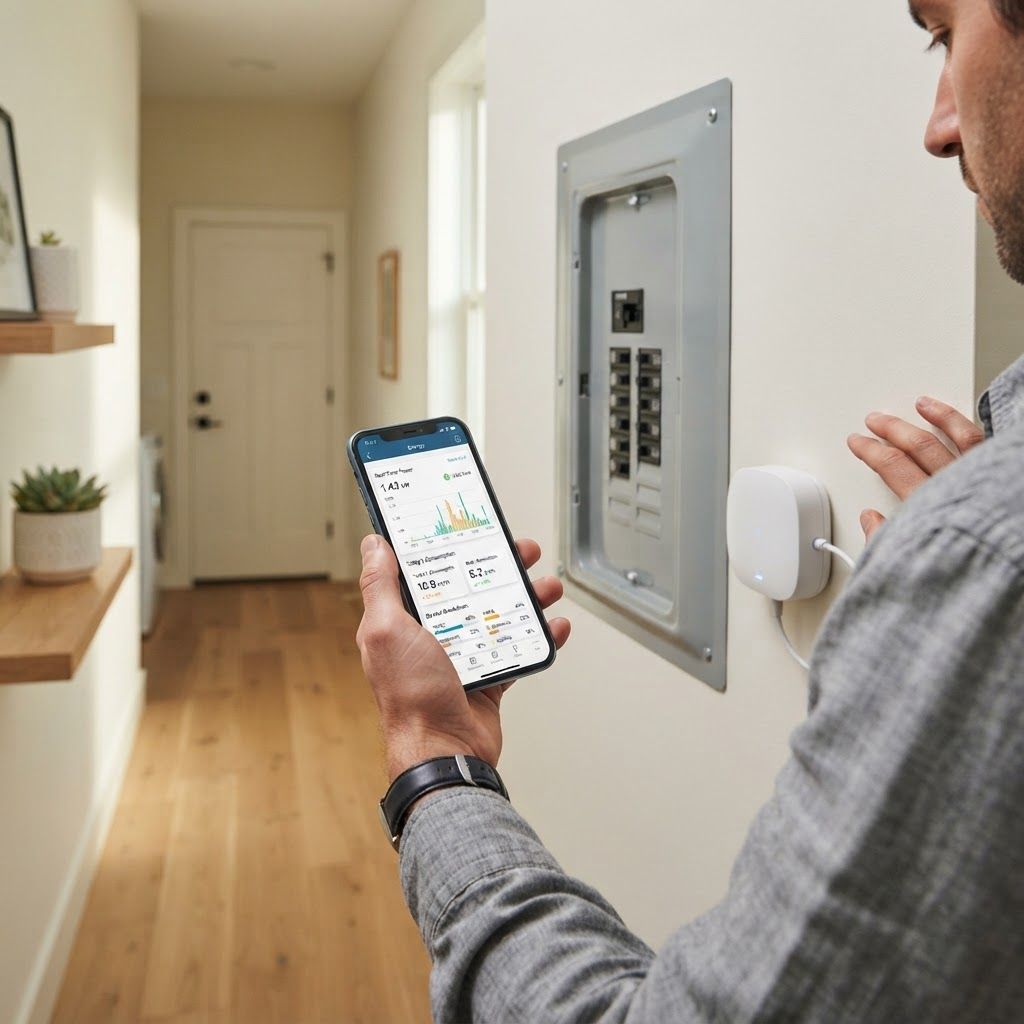
A monitor measures electricity flowing through a circuit or outlet and sends the readings to an app. Depending on the hardware, you may see watts in real time, kilowatt-hours over a day or month, estimated cost, voltage, and historical patterns.
That information is useful because energy waste is often invisible. A television, gaming console, dehumidifier, second refrigerator, space heater, or old freezer may be drawing power for hours when nobody is thinking about it. The monitor does not magically reduce consumption, but it gives you evidence about where to act.
The US Department of Energy explains that a home energy assessment can help identify efficiency opportunities. A monitor is not a replacement for a professional audit, especially if you have insulation, HVAC, or electrical-safety concerns. Think of it as an ongoing dashboard between audits.
- Whole-home monitoring: tracks the service entering your home and can reveal daily patterns.
- Circuit monitoring: tracks selected breaker circuits, useful for HVAC, water heating, solar, or EV loads.
- Plug monitoring: measures one appliance or power strip and is the easiest option to install.
- Cost estimation: converts usage into dollars using an electricity rate you enter or a supported utility connection.
1. Emporia Vue 3: best value for most homeowners
Emporia’s Vue line is attractive if your goal is detailed information without jumping straight into a high-end smart panel. The system uses current sensors around service or circuit conductors and connects readings to the Emporia app. Depending on the package, you can monitor whole-home usage and individual circuits.
The appeal is practical: you can compare weekday and weekend loads, see how much a water heater or HVAC circuit is using, and set up alerts. Emporia also has a broad ecosystem of energy devices, which makes it interesting for households considering solar, batteries, or an EV charger.
Pros:
- Strong value compared with more expensive appliance-identification systems.
- Detailed circuit-level information when the installation supports it.
- Useful for households tracking solar generation or large electrical loads.
- App reports make it easier to compare usage over time.
Cons:
- Panel installation is not a casual DIY project for most people.
- Current sensors and circuit layouts can confuse beginners.
- The best insights may require more sensors and a higher total cost.
My take: Emporia is the sensible starting point for a homeowner who wants data, not just a colorful dashboard. Have a licensed electrician confirm compatibility and installation requirements before ordering.
2. Sense: best for appliance-level visual insights
Sense takes a different approach. Its core appeal is software that analyzes electrical signatures and attempts to identify devices from the way they consume power. In a good setup, you may see patterns for a refrigerator, microwave, heat pump, or other major load without placing a sensor on every appliance.
This can be more engaging than a raw chart of kilowatt-hours. If you are the kind of person who wants to know what is happening right now, Sense’s live view and historical graphs are compelling. The limitation is that appliance recognition is not perfect: similar devices can look alike electrically, and some equipment may remain unidentified.
Pros:
- Easy-to-understand app experience and attractive visualizations.
- Can surface always-on loads and unusual usage patterns.
- Helpful for curious homeowners who want a daily energy habit.
Cons:
- Higher upfront price than a basic monitor or smart plug.
- Automatic device identification should be treated as an estimate, not a guarantee.
- Panel installation still requires attention to electrical safety.
Best for: households that value interpretation and habit-building more than the lowest possible price.
3. SPAN: best for larger electrification projects
SPAN is not the budget answer to a high electric bill. It belongs in a bigger conversation about smart electrical panels, solar, battery backup, EV charging, and home electrification. The advantage is control: a compatible ecosystem can help a homeowner understand and manage circuits during outages or periods of limited power.
If you are already planning a panel replacement, solar installation, or battery system, it may be worth asking an installer about SPAN and competing smart-panel options. If you only want to discover whether your chest freezer is wasting electricity, a standalone monitor will be far more proportionate.
Pros:
- Designed for advanced energy management rather than simple observation.
- Potentially useful with solar, batteries, EV charging, and backup planning.
- Can fit a long-term electrification strategy.
Cons:
- Installation and project cost can be substantial.
- Overkill for a renter or a basic energy-audit question.
- Requires careful compatibility planning with an installer.
4. Smart plugs: the best low-risk option for renters
A smart plug with energy monitoring is the easiest way to start. TP-Link Kasa and Meross both sell plug-in products that can report energy use for a connected lamp, office setup, entertainment center, refrigerator, or small appliance. They are not whole-home monitors, but that is not a flaw if you are trying to answer one question at a time.
For example, connect one entertainment center for a week. Then test a dehumidifier or portable heater. You may discover that one device dominates the load. A plug can also automate schedules, although you should never use a smart plug with an appliance that the manufacturer says must remain continuously powered or that exceeds the plug’s rating.
Pros:
- Usually inexpensive and renter-friendly.
- No breaker-panel access or electrician appointment.
- Good for testing a specific appliance before buying a whole-home system.
Cons:
- Only measures the connected device or power strip.
- Not suitable for high-load appliances unless the exact model is rated for them.
- Cloud accounts and app privacy vary by manufacturer.
For a broader smart-home setup, our earlier guide to smart devices that actually save money covers thermostats, lighting, and other upgrades. If electricity is your main concern, start with one plug and collect a week of data before buying more hardware.
How much can a smart energy monitor save?
There is no honest universal percentage. A monitor reports usage; it does not create savings on its own. Your result depends on your electricity rate, home size, HVAC system, behavior, climate, and whether the data changes what you do.
Suppose your household uses 900 kWh in a month at $0.18 per kWh. That is about $162. If monitoring helps you cut 5% of avoidable usage, the gross saving would be roughly $8.10 that month. At 10%, it would be about $16.20. Those are examples, not promises.
The biggest opportunities are often large or continuous loads:
- Electric resistance heating and portable space heaters.
- Older refrigerators, freezers, and dehumidifiers.
- Pool pumps, well pumps, and aquarium equipment.
- Water heating and EV charging schedules.
- Always-on office, entertainment, and networking equipment.
Use your monitor to find the biggest three loads first. Do not spend hours optimizing a phone charger while an inefficient HVAC system is responsible for most of your bill.
Installation, safety, and privacy checklist
Whole-home monitors interact with an electrical panel, so safety comes before savings. Some products are marketed as easy to install, but opening a panel can expose dangerous voltage even when a breaker is off. If you are not qualified, use a licensed electrician.
- Confirm whether your panel type, service voltage, and circuit layout are supported.
- Ask whether installation requires a permit or electrician in your area.
- Check whether the app can work locally or requires a cloud account.
- Read the privacy policy before connecting utility or household data.
- Enter your actual electricity rate so the cost estimates are meaningful.
- Set alerts conservatively; too many notifications become background noise.
Privacy deserves attention because energy patterns can reveal when people are home, asleep, or away. Choose a vendor with clear data controls, enable two-factor authentication where available, and avoid sharing more utility-account information than necessary.
How to use the data for the first 30 days
During week one, do not change anything. Establish a baseline and note weather, thermostat settings, laundry days, cooking, and unusual events. This prevents you from crediting the monitor for savings caused by a mild week.
During week two, identify the top five loads by total energy or runtime. During week three, test one change, such as moving laundry to a different time, replacing a failing dehumidifier, or using a schedule for an appropriate device. During week four, compare the result against a similar day or week.
This measured approach pairs well with a smart-plug electricity-saving strategy. If you work from home, also compare your office setup with the broader advice in our energy-saving apps guide.
Frequently asked questions
Do smart home energy monitors really save money?
They can help you save by showing which devices consume the most electricity, but the monitor itself does not reduce usage. Savings depend on the changes you make after reviewing the data.
What is the best smart home energy monitor for renters?
A plug-in energy-monitoring smart plug is usually the safest and most practical choice because it does not require access to the breaker panel.
Is a whole-home energy monitor worth it?
It can be worthwhile for homeowners with high bills, solar, EV charging, electric heating, or an interest in detailed energy management. It may be unnecessary if you only want to measure one appliance.
Can an energy monitor identify every appliance?
No. Some systems estimate appliance identities from electrical signatures, but recognition can be incomplete or inaccurate. Circuit or plug-level sensors provide more direct measurements.
Do I need an electrician to install an energy monitor?
For monitors connected inside an electrical panel, professional installation is the safest choice unless you are properly qualified and local rules allow otherwise.
Our pick
For most US homeowners, the Emporia Vue 3 offers the best balance of useful detail, expansion potential, and price. Sense is the better choice if you want a polished app that interprets usage for you. For renters, start with a monitored smart plug and use the first month to learn where your electricity actually goes.
The smartest purchase is not necessarily the device with the most sensors. It is the option that gives you reliable data, respects your privacy, fits your installation situation, and leads to one concrete behavior change.