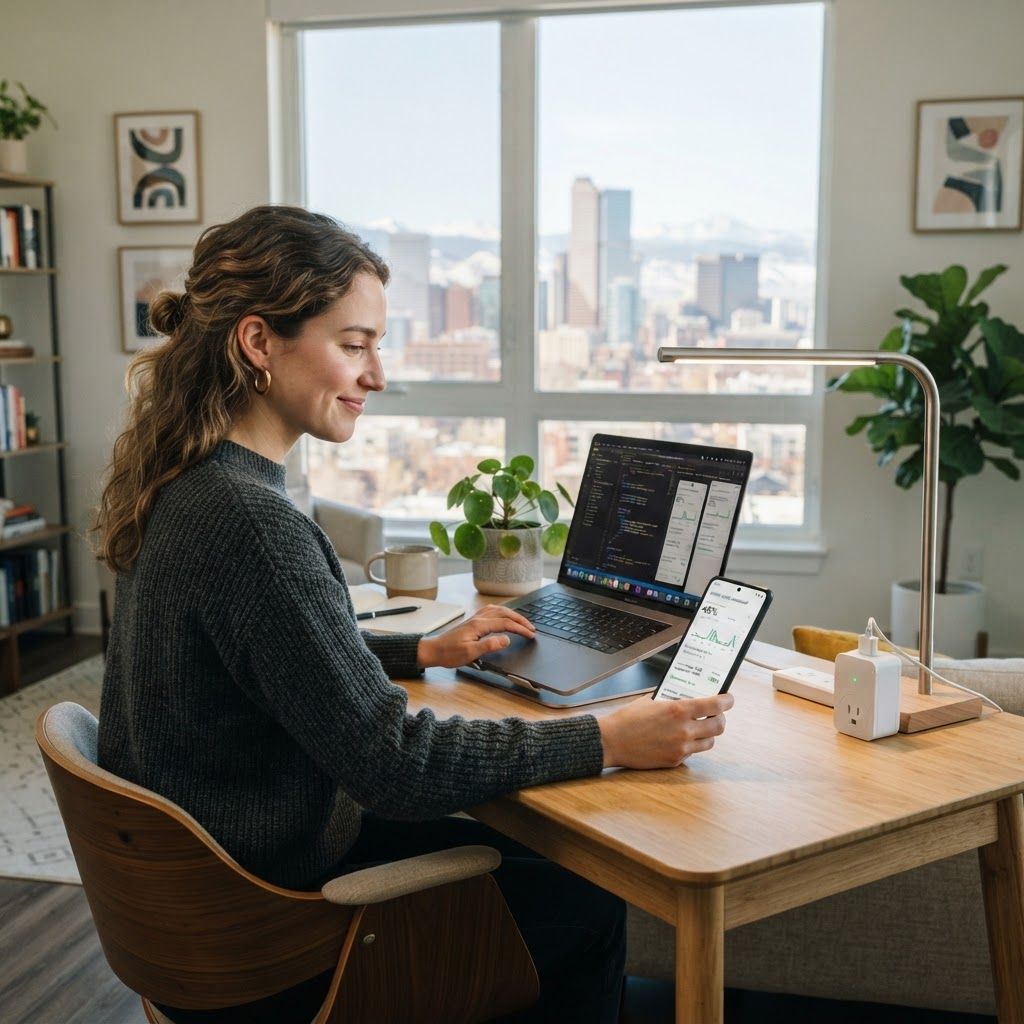
The Best Energy-Saving Apps for Denver Apartment Renters Working From Home
If you are looking for the best energy-saving apps for Denver apartment renters working from home, the goal is not to turn your rental into a science project. The right combination of a utility app, a smart-plug dashboard, and a simple routine can show where your electricity goes and help you cut waste without drilling holes or replacing landlord-owned equipment.
Denver renters face a distinctive mix of cold winters, sunny but hot afternoons, and work-from-home equipment that runs for eight or more hours. A laptop, monitor, desk lamp, fan, router, and coffee setup can quietly add to a monthly bill. These apps make the invisible usage easier to see and give you practical control.
1. Start with the Xcel Energy app
For many Denver apartments, the first app to install is the one connected to the electric account. The Xcel Energy app can help you review billing history, compare usage, and spot unusually high periods. It gives you the baseline that every other tool needs.
Pro tip: Compare weekdays with weekends and look for spikes during extreme cold or heat.
- Review the last three bills before buying hardware.
- Check usage alerts or budget notifications.
- Save high-usage days for comparison.
Result: You know whether the issue is heating, cooling, electronics, or seasonality.
2. Use Sense or Emporia to find hidden loads
Whole-home monitors such as Sense and Emporia can identify patterns by watching electrical activity. In a rental, installation may require landlord approval, so use a plug-level monitor if panel access is not allowed. These tools can reveal how much a workstation, printer, or monitor consumes overnight.
Pro tip: Measure your office for three workdays, then unplug one device at a time after work.
- Look for overnight usage that remains steady.
- Compare your desk with the kitchen and entertainment area.
- Set a realistic target.
Result: You prioritize the devices that matter instead of guessing.
3. Track desk equipment with Kasa or Tapo smart plugs
Kasa and Tapo smart plugs are renter-friendly because they plug into an existing outlet. Compatible models can schedule a monitor, lamp, fan, or coffee maker and show approximate consumption. Typical single-plug prices often range from about $10 to $25.
Create a “Workday” group for your monitor, speakers, lamp, and chargers. Schedule it to turn off after work while leaving the router on if needed.
Pro tip: Do not put a space heater, air conditioner, or other high-load appliance on a basic smart plug unless the manufacturer rates it for that device.
- Use schedules for predictable routines.
- Use away mode only for low-risk electronics.
- Rename every plug clearly.
Result: Your work zone stops drawing power because you forgot one button.
4. Build lighting routines with Google Home or Alexa
Smart bulbs from Philips Hue, GE Cync, and TP-Link can reduce waste when paired with an automation app. The savings come from turning lights off consistently, using lower brightness, and avoiding all-day lighting. Denver’s bright natural light makes this practical.
Pro tip: Motion sensors are best for closets and entryways; a schedule is usually less annoying in a home office.
- Use 60% brightness when possible.
- Keep smart bulbs on powered switches.
- Set a “good night” routine for lights and plugs.
Result: Less wasted lighting and a smoother work-to-evening transition.
5. Automate temperature reminders without changing the thermostat
Many renters cannot replace a wall thermostat, but Google Home, Alexa, or a phone reminder can prompt you to lower the thermostat when you leave, close blinds before afternoon sun, or add a layer before turning up the heat. Ask for landlord approval before buying a compatible thermostat.
Pro tip: Use a 30-minute preheating reminder rather than leaving heat high all day. Never block vents or use unsafe extension-cord setups.
- Set reminders around your real schedule.
- Use curtains to manage afternoon sun.
- Report heating problems to the property manager.
Result: Better comfort decisions without unauthorized changes.
6. Turn app data into a weekly savings habit
These apps work only when you review them. Pick one evening each week to check the utility graph, smart-plug totals, and alerts. Change one habit, such as shutting down the monitor at 6 p.m., and judge it over several weeks.
Pro tip: Save a monthly bill at the same time each month so comparisons are consistent.
- Review data weekly.
- Change one or two habits at a time.
- Note the bill, weather, and work-from-home days.
Result: Your apps become a decision tool rather than another notification stream.
How to set up the system in one afternoon
Install the utility app, choose one smart plug for the desk and one for low-risk lighting, name each device, create a workday schedule, and test it while home. For renters, portability matters: avoid mounts that damage paint, keep receipts, and save original fixtures.
Pro tip: Start with the cheapest measurable change. A $15 plug that proves your monitor stays on all night is more valuable than a large purchase based on assumptions.
- Day one: establish your baseline.
- Week one: automate the desk.
- Month one: compare bills and refine schedules.
Result: A practical setup that travels with you when your lease ends.
Frequently asked questions
What is the best first app for a Denver renter?
Start with the app connected to your electric account, such as Xcel Energy.
Can renters install a smart thermostat?
Only with the correct system and landlord approval.
Are smart plugs safe for apartment electronics?
Use them within the manufacturer’s rating and avoid unapproved heating equipment.
How much can these apps save?
Savings depend on rates, weather, apartment systems, and habits.
Do smart bulbs use electricity when off?
They use a small standby amount while powered to receive commands.
For related ideas, see our guide to useful apps for gig workers and our article on budgeting apps.
Conclusion
For Denver renters who work from home, the smartest approach is a small, portable system: monitor the bill, measure the desk, automate safe devices, and review the results weekly.