The best mileage tracker apps for Phoenix gig drivers in 2026
If you deliver for DoorDash, Uber Eats, Instacart, Amazon Flex, or multiple platforms around the Valley, the best mileage tracker apps for Phoenix gig drivers in 2026 can help turn a messy spreadsheet into a clean business record. Phoenix drivers deal with long suburban routes, summer heat, airport traffic, and frequent switching between delivery zones. That makes automatic trip tracking more useful than trying to remember every mile at the end of a shift.
This guide compares practical apps for drivers in Phoenix, Tempe, Mesa, Scottsdale, and Glendale. It focuses on automatic tracking, IRS-ready reports, battery use, privacy, and price. It is general information, not tax advice; ask a qualified tax professional about your situation.
1. Driversnote: best for simple automatic logs
Driversnote is a strong starting point if you want an app that quietly records trips and lets you label them as business or personal. Its interface is easier to understand than a full accounting platform, which matters when you are parked outside a restaurant and need to classify a trip quickly.
Pro tip: Create separate labels for delivery work, rideshare, grocery pickup, and personal driving. Phoenix drivers often work more than one platform in the same evening, and labels make the final report much easier to review.
- Automatic trip detection with manual editing.
- Business and personal mileage separation.
- Exportable reports for record keeping.
- Useful for drivers who do not want bookkeeping software.
Best result: a low-friction mileage log you can review before tax season.
2. Everlance: best for mileage plus expense tracking
Everlance is designed around freelancers who need more than a mileage counter. Along with automatic trips, it can help organize fuel, maintenance, phone, supplies, and other potential business expenses. That makes it appealing for a Phoenix driver who wants one place to review the economics of a route.
The biggest advantage is context. A route that looks profitable before fuel and vehicle costs may look very different after expenses are included. Use the app to record expenses consistently, then discuss which expenses are deductible with your tax professional.
Pro tip: Photograph receipts immediately after buying delivery bags, phone mounts, or other work supplies. Heat can fade paper receipts quickly if they sit in a glove box.
- Automatic mileage tracking.
- Expense and receipt organization.
- Income and work activity overview.
- Good fit for multi-platform freelancers.
Best result: a clearer view of net earnings rather than gross app payouts.
3. Hurdlr: best for drivers who want live profit estimates
Hurdlr combines mileage, expenses, income, and estimated tax information. For drivers who regularly move between Phoenix and nearby cities, the live profit view can show whether a long-distance order is worth accepting after vehicle costs.
The app is more feature-heavy than a basic mileage tracker, so take a few minutes to set up categories correctly. Do not treat an in-app tax estimate as a filing result; it is a planning tool, not a substitute for professional advice.
Pro tip: Review your numbers by zone. Compare central Phoenix, Tempe, Mesa, and Scottsdale shifts separately. Your highest-payout zone is not always your highest-profit zone when deadhead miles are included.
- Mileage and expense tracking.
- Income and profit snapshots.
- Helpful for self-employed planning.
- More useful for drivers with multiple revenue streams.
Best result: faster decisions about when and where to drive.
4. Gridwise: best for delivery and rideshare planning
Gridwise is built around gig transportation work. In addition to tracking activity, it offers information that can help drivers think about earnings, schedules, and demand. It is especially useful if you drive passengers at some times and deliver food or groceries at others.
Because Phoenix has distinct rush-hour patterns and event traffic, the planning features can be useful. Still, treat earnings estimates as directional. Your actual result depends on acceptance rate, wait time, fuel, vehicle wear, tips, and the platform you are using.
Pro tip: Keep airport and event shifts in their own notes. A trip with a high payout can have poor hourly profitability if you spend too much time waiting in a queue.
- Designed for gig drivers.
- Useful earnings and schedule context.
- Works well for multi-app drivers.
- Good companion to a dedicated expense system.
Best result: better shift planning, not just better record keeping.
5. QuickBooks Mileage Tracker: best for drivers already using QuickBooks
If you already use QuickBooks Self-Employed or another QuickBooks workflow, its mileage feature can reduce the number of apps you manage. The benefit is keeping mileage near income and expense records instead of exporting everything from separate tools.
This option makes the most sense when your business records already live in QuickBooks. If you only need a mileage log, the subscription may be more than you need.
Pro tip: Set a weekly calendar reminder to review trips. Automatic tracking is not automatic bookkeeping; missed classifications and duplicate trips can still create problems.
- Convenient for existing QuickBooks users.
- Mileage records sit beside business finances.
- Helpful for drivers with more formal bookkeeping.
- May be unnecessary for occasional part-time delivery.
Best result: one financial workflow instead of several disconnected exports.
How Phoenix drivers should set up automatic mileage tracking
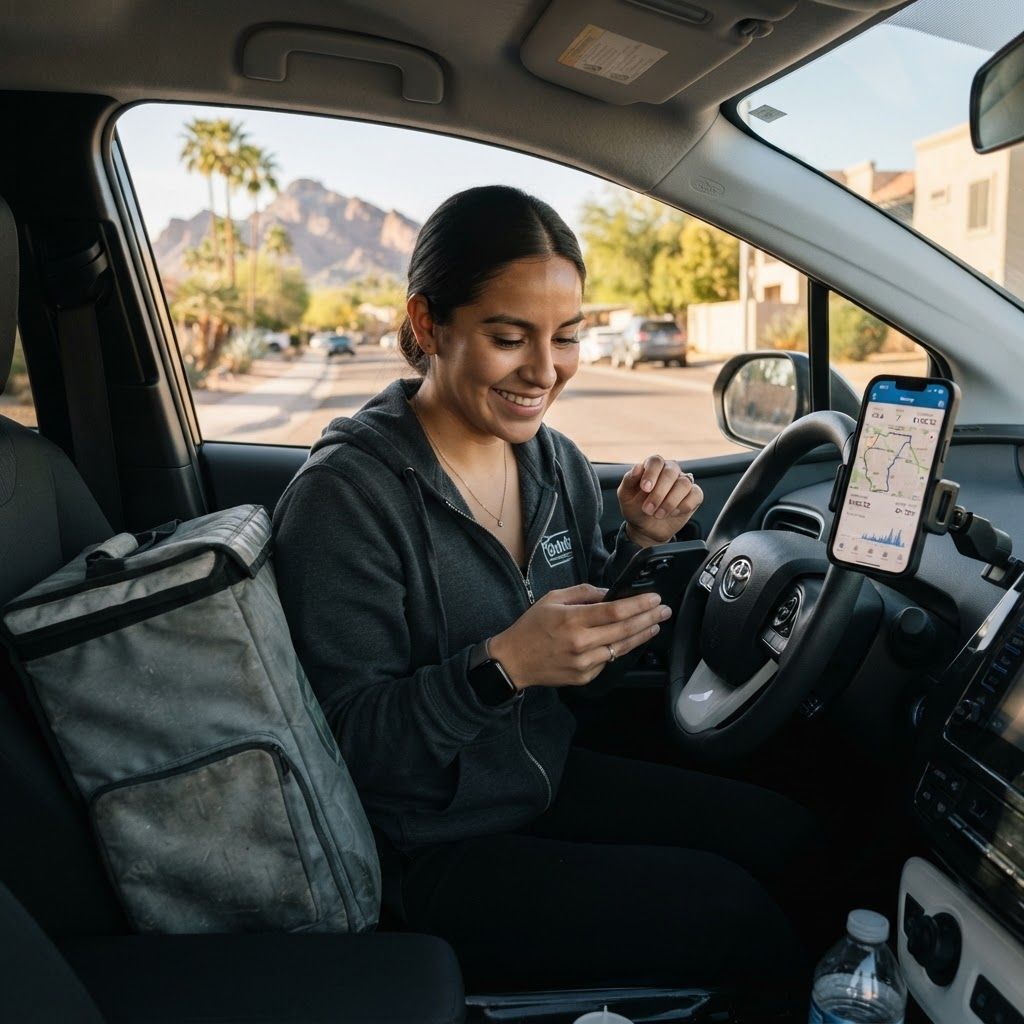
Start before your first delivery shift, not after. Turn on location permissions while using the app and confirm that automatic trip detection is enabled. Then drive one short test route and check that the start point, end point, distance, and business classification look reasonable.
Keep the phone mounted securely and avoid handling it while moving. Phoenix temperatures can also affect phone batteries, so use a reliable car charger and keep the device out of direct sun when possible.
- Test the app on a short route.
- Classify trips at the end of each shift.
- Back up or export records monthly.
- Keep receipts and platform earning statements together.
What records should gig drivers keep?
A mileage app is one part of a defensible record. Keep the date, destination or route purpose, miles, platform, and whether the trip was business or personal. Also save weekly or monthly summaries, receipts, payout statements, and notes about unusual routes.
The IRS mileage rate changes over time, so do not hard-code an old rate into your planning. For the current rate and your eligibility, check IRS guidance or speak with a tax professional. You may also need to understand the difference between commuting, business travel, and delivery miles.
Pro tip: Export a PDF or spreadsheet at the end of every month and store a copy in cloud storage. A phone replacement should not erase your entire year of records.
Best result: records that are organized before you need them.
Which app is right for your Phoenix driving routine?
Choose Driversnote if you want simple mileage tracking. Choose Everlance if expenses and receipts matter as much as miles. Choose Hurdlr if you want profit and tax-planning context, Gridwise if you want gig-driving insights, and QuickBooks if your finances already live there.
For many full-time Phoenix drivers, the practical choice is the app you will actually keep running and review every week. A basic, complete log is more valuable than an advanced app filled with unreviewed data.
Frequently asked questions
What is the best mileage tracker app for Phoenix gig drivers?
Driversnote, Everlance, Hurdlr, Gridwise, and QuickBooks Mileage Tracker are useful options. The best choice depends on whether you need simple mileage, expense tracking, profit estimates, gig planning, or integrated bookkeeping.
Can delivery drivers deduct mileage?
Business mileage may be deductible under applicable tax rules, but eligibility and the correct method depend on your facts. Keep contemporaneous records and consult a qualified tax professional.
Should I track miles for every gig platform separately?
Separate labels are helpful when you use multiple platforms. They make it easier to compare profitability and match mileage to payout statements.
Does automatic mileage tracking drain a phone battery?
Location tracking can use additional battery, especially in hot conditions. Use a reliable charger, keep the phone ventilated, and check battery behavior during a test shift.
How often should I export my mileage records?
Monthly exports are a practical minimum. Keep a current backup and retain records according to your tax professional’s guidance.
Final takeaway
The best mileage tracker apps for Phoenix gig drivers in 2026 are the ones that turn every shift into a consistent record. Start with a simple setup, review it weekly, and keep mileage connected to your expenses and platform earnings. That habit can make your driving business easier to understand long before tax paperwork arrives.
For more ways to organize your money, see our guide to budget apps that help you save and our article on smart devices that can lower everyday costs.