Portland apartment energy savings for work-from-home renters
If you work from home in a Portland apartment, electricity use can quietly rise because your computer, monitors, lights, heating, and kitchen appliances run during hours when you used to be away. The best Portland apartment energy savings for work-from-home renters usually come from low-cost habits, not a major renovation. These renter-safe changes require no drilling, rewiring, or lease changes.
Audit Your Apartment First
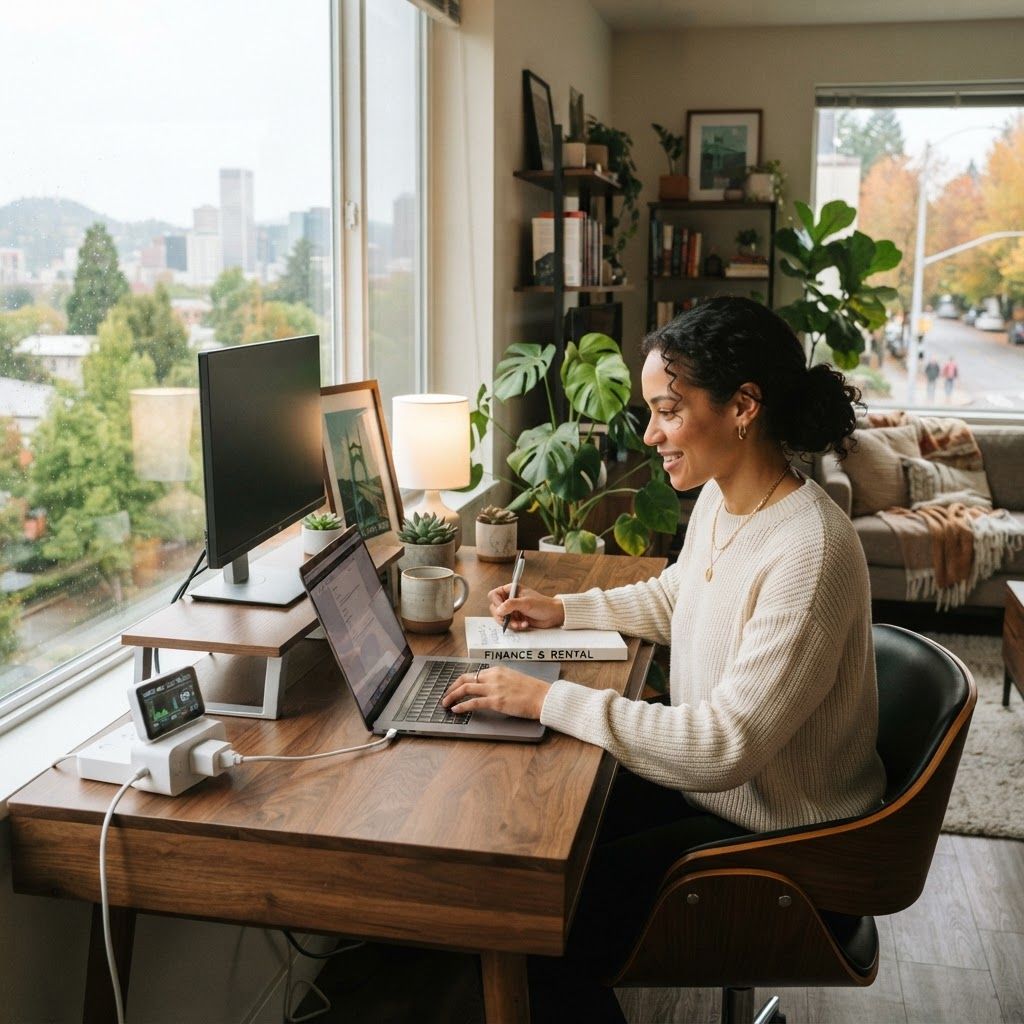
Start with a one-week baseline. Save your Portland General Electric bills, note the number of billing days, and list every device that stays on overnight. A plug-in energy monitor costing roughly $15 to $30 can show whether a second monitor, gaming computer, printer, mini-fridge, or space heater is responsible for an unexpected increase. Measurement prevents you from buying gadgets that do not solve the real problem.
Pro tip: measure first, schedule safe devices, and check your lease before modifying fixtures or heating controls.
Result: less avoidable daytime and overnight usage with a clearer view of your bill.
- Measure before buying equipment.
- Schedule devices that do not need to run all night.
- Prioritize safety and lease rules.
Automate Desk Equipment
Kasa, Tapo, and Leviton smart plugs often cost about $10 to $25. Use them for monitors, speakers, printers, and a charging station, then schedule those devices to turn off after your workday. Never connect a heater, air conditioner, refrigerator, or other high-load appliance unless its manufacturer specifically approves that use.
Pro tip: measure first, schedule safe devices, and check your lease before modifying fixtures or heating controls.
Result: less avoidable daytime and overnight usage with a clearer view of your bill.
- Measure before buying equipment.
- Schedule devices that do not need to run all night.
- Prioritize safety and lease rules.
Improve Computer Sleep Settings
Computers and displays can keep drawing electricity in sleep mode. Enable automatic sleep after 10 minutes, turn off unnecessary screensavers, and use your operating system energy-saving mode. If you use a desktop, compare its idle draw with a laptop. Turn off a second monitor when reading or attending an audio-only meeting.
Pro tip: measure first, schedule safe devices, and check your lease before modifying fixtures or heating controls.
Result: less avoidable daytime and overnight usage with a clearer view of your bill.
- Measure before buying equipment.
- Schedule devices that do not need to run all night.
- Prioritize safety and lease rules.
Manage Heat Safely
Portland winters can make heating the largest part of a bill. Keep furniture away from baseboard heaters, clean accessible vents, and report drafts or faulty equipment to building management. Removable draft stoppers and thick curtains can help without drilling. Ask your property manager before installing a smart thermostat.
Pro tip: measure first, schedule safe devices, and check your lease before modifying fixtures or heating controls.
Result: less avoidable daytime and overnight usage with a clearer view of your bill.
- Measure before buying equipment.
- Schedule devices that do not need to run all night.
- Prioritize safety and lease rules.
Use Daylight and Efficient Lighting
Choose warm, dimmable LED bulbs from a local retailer such as Home Depot or IKEA. Put lamps on timers and position your desk near a window when possible. Avoid glare so you do not compensate by turning screen brightness and every lamp to maximum. LEDs are portable, lease-friendly, and inexpensive.
Pro tip: measure first, schedule safe devices, and check your lease before modifying fixtures or heating controls.
Result: less avoidable daytime and overnight usage with a clearer view of your bill.
- Measure before buying equipment.
- Schedule devices that do not need to run all night.
- Prioritize safety and lease rules.
Check Local Programs
Review current Portland General Electric efficiency resources and Oregon energy-assistance information before purchasing equipment. Program eligibility and rebates change, so confirm current details directly with the provider or a community-action agency. Renters should ask whether a rebate belongs to the tenant or property owner and keep proof of approval.
Pro tip: measure first, schedule safe devices, and check your lease before modifying fixtures or heating controls.
Result: less avoidable daytime and overnight usage with a clearer view of your bill.
- Measure before buying equipment.
- Schedule devices that do not need to run all night.
- Prioritize safety and lease rules.
Avoid the Space-Heater Trap
A portable heater may feel like a cheap solution, but it can draw much more electricity than a laptop or LED lamp. Use one only as directed, keep it clear of fabrics, and never leave it unattended. First address drafts, clothing layers, curtains, and maintenance issues. Compare the heater wattage label with your normal desk load.
Pro tip: measure first, schedule safe devices, and check your lease before modifying fixtures or heating controls.
Result: less avoidable daytime and overnight usage with a clearer view of your bill.
- Measure before buying equipment.
- Schedule devices that do not need to run all night.
- Prioritize safety and lease rules.
Review the Bill Monthly
At the end of each month, compare your bill with the previous period and note weather, guests, heating changes, and work hours. Change one habit at a time so you know what worked. A realistic target is steady reduction without making the home office unsafe or uncomfortable.
Pro tip: measure first, schedule safe devices, and check your lease before modifying fixtures or heating controls.
Result: less avoidable daytime and overnight usage with a clearer view of your bill.
- Measure before buying equipment.
- Schedule devices that do not need to run all night.
- Prioritize safety and lease rules.
Conclusion
Portland apartment energy savings for work-from-home renters is a repeatable process: measure your baseline, automate safe desk equipment, improve sleep settings, manage heat carefully, and review local programs. Start with one computer setting or one smart plug this week, then compare your next bill. Small changes become meaningful when repeated every workday.
Read also our no-drill apartment energy guide and our work-from-home savings guide.
FAQ
Can Portland renters use smart plugs?
Usually yes for ordinary plug-in devices, subject to the device rating and manufacturer instructions.
What is the easiest home-office saving?
Enable automatic sleep on your computer and monitor, then switch off unused equipment after work.
Are LED bulbs useful in rentals?
Yes. They are portable, inexpensive, and generally use less electricity than incandescent bulbs.
Can I install a smart thermostat?
Ask your property manager first because apartment heating systems and lease rules vary.
Where can renters find assistance?
Check current Portland General Electric resources and Oregon community-action agencies.